Invoices
What this covers
Finding your invoices, downloading them, reading the lines, and where a credit-pack purchase shows up.
Everything on this page needs the manage-billing permission, which belongs to the
Owner alone — not even a Manager has it. If Subscription is missing from your
settings menu, you are not an Owner (link The Owner account).
Finding them
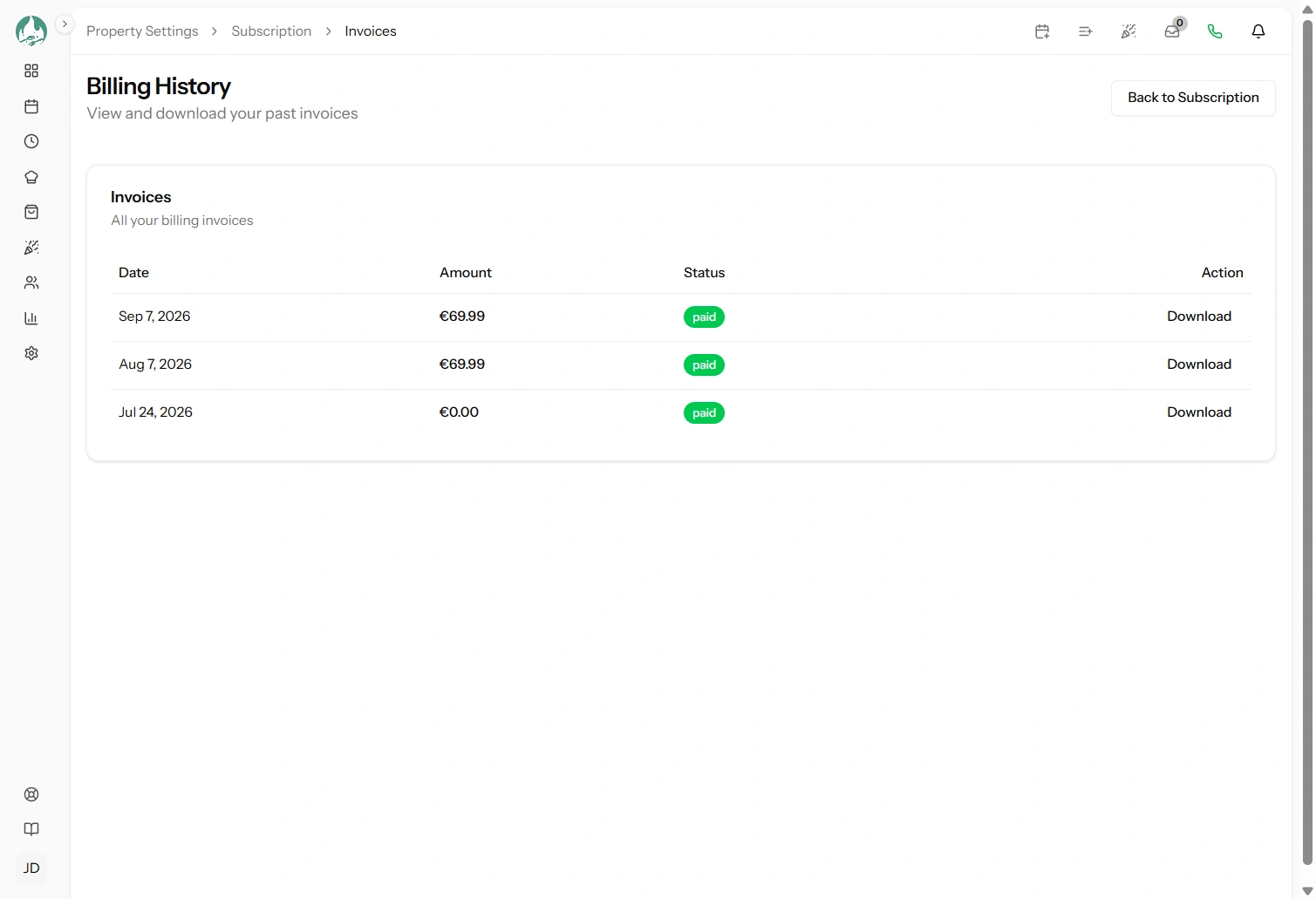
Property Settings → Subscription → Invoices. Every invoice on your account, newest first, each showing its date, total, status and a download link.
Downloading a PDF
Use the download link on any row. It produces a proper PDF — the version to send your accountant or keep for your records.
Reading an invoice
Most are a single line: your plan, the period it covers, the amount. The lines that need explaining show up when something changed.
| Line | What it is |
|---|---|
| Your plan name with a date range | The normal subscription charge for that period |
| Two plan lines on one invoice, one negative | You changed plan mid-period. The negative line credits back the unused part of the old plan, the positive line charges the new one (link Changing your plan) |
| A discount line | A promotion code applied (link Promo codes) |
| Tax or VAT | Added according to your location and the details on your account |
| An applied balance or credit | Credit from an earlier downgrade being used up |
| A total of zero | Your plan was fully covered — usually by a downgrade credit or a 100% discount. Still issued, because the period was still billed |
Statuses
- Paid — settled, nothing to do.
- Open or unpaid — payment has not gone through. Check your card (link Payment method).
- Void or uncollectible — cancelled by the provider, generally after an adjustment. Nothing owed.
Company details for your accountant
If your invoices need a company name, registered address or tax number on them, add those in the billing portal, reached from your subscription page. They are held by the payment provider and appear on invoices issued afterwards.
Do this before your next invoice, not after. Invoices already issued keep the details they were issued with, and cannot be reissued with new ones — which is worth knowing on day one if your accountant is particular about it.
Where SMS credit packs appear
A credit pack is a one-off card payment, not part of your subscription — so it is not a recurring line on a subscription invoice.
Three places to look for it, depending on what you need:
- A receipt from the payment provider, sent to your billing email at the time of purchase. This is your document for accounting.
- Your credit history in Property Settings → SMS Credits, which records the purchase as a Purchase entry naming the pack. This is the in-app record, and the place to confirm a payment actually credited (link Your credit history).
- The billing portal's payment history, which lists all charges on your account including one-off ones.
So if you are reconciling and a credit-pack charge is not on a subscription invoice, that is expected rather than missing.
Good to know
Invoices are permanent. They stay available after a plan change, and after cancellation — so export or download what your accountant needs before you leave (link Cancelling, resuming and renewing).
They are in your billing currency, which does not change (link Currency and pricing).
Only the Owner can see them. A Manager doing your books cannot — either download and pass them on, or make that person an Owner (link The Owner account).
A trial produces no invoice until the first charge. Nothing was billed, so there is nothing to show.