Unassigned bookings and the assignment tray
What this covers
Why a booking can exist without a table, and how to place them all quickly. You need permission to update bookings.
A booking without a table is normal
In Tabledoo a booking does not have to name a table. This is deliberate, and it is how most restaurants prefer to work: by default, bookings that come from your public page arrive without a table, so you decide who sits where once you can see the shape of the night — rather than a computer scattering parties across the room at three in the morning.
An unassigned booking is a complete booking. It is confirmed, the guest has been told, and — importantly — it still holds its share of your capacity, so you cannot accidentally oversell the room. Tabledoo provisionally holds a suitable table for it. All that is missing is your decision about which table.
Finding them
Go to the Timeline. If any booking for that day has no table, a button appears in the toolbar reading Unassigned (3), with the number waiting. Click it to open the tray.
When everything has a table, the tray says Every reservation has a table.
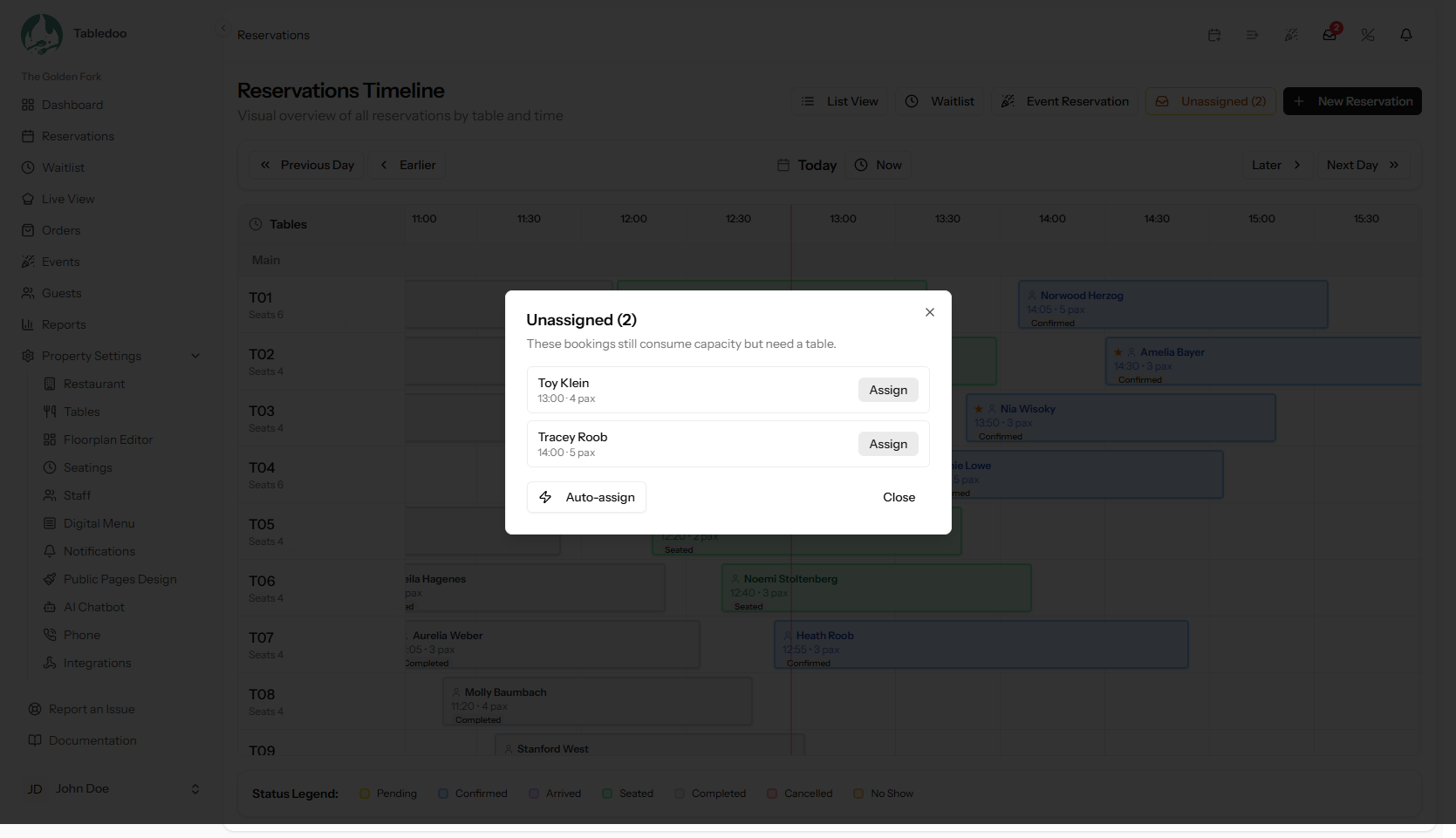
The assignment tray.
Placing them
Let Tabledoo do it
Press Auto-assign. Every booking that fits somewhere is given the best available table — the smallest one that seats the party, so you keep your big tables free for big parties. This is the right move for a normal service.
Do it yourself
Each row has its own table picker, with the recommendation marked Best fit. Use this when you know something Tabledoo does not: the couple celebrating an anniversary wants the window, the family with a pushchair needs the end of the room.
"Fits nowhere"
A booking badged Fits nowhere means no single free table seats that party at that time. The hint tells you the same thing: "No single table seats this party — merge tables or adjust the booking."
You have three choices:
- Merge two tables — see Merging tables for a large party. Usually the answer.
- Move the booking to a time when a big table is free.
- Call the guest and agree something — a smaller party, or another night.
It is far better to see this in the tray at five o'clock than to discover it when nine people walk in.
Taking a table away again
Use Move to unassigned on a booking to free its table and put it back in the tray. Handy when a plan changes and you would rather re-place several bookings at once.
Making public bookings pick their own table
If you would rather your public page assigned tables at the moment of booking, there is a setting for it in Property Settings → Public Pages Design — see Booking rules for your public page. It is off by default, because most restaurants want the final say.
Good to know
- Clear the tray before service, as part of opening. It takes a minute and removes the only real surprise of the night.
- Unassigned bookings still appear in the list and in your reports. They are not hidden or provisional.
- Walk-ins are never unassigned — you are seating them as you create them.